


Cadillac design continues to move forward by integrating digital systems that feel as intentional as the physical controls they replace. The display inside a Cadillac is not just a screen. It is the central interface that connects navigation, communication, vehicle settings, and driver awareness into one cohesive system. When that system does not respond as expected, the uncertainty is not just about the screen itself. It is about understanding whether the issue is temporary, system based, or something that requires deeper service. Knowing how these systems function creates clarity, allowing drivers to respond with confidence instead of guesswork.
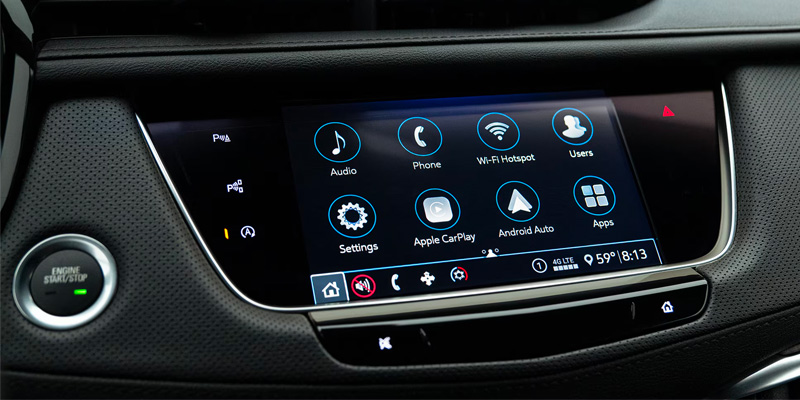
How Cadillac Infotainment Systems Work Behind The Screen
Many drivers ask why their Cadillac screen stops working, but that question begins with how the system is built. A Cadillac infotainment system operates as a network of hardware and software components working together to process input, display information, and respond to commands.
In a vehicle like the Cadillac Escalade, the display is only one part of the system. Behind it, a control module processes data, manages inputs from touch and physical controls, and communicates with other vehicle systems.
The system relies on continuous communication between components.
- Software manages how information is displayed and how inputs are interpreted
- Control modules process commands and distribute data across systems
- The display presents output based on real time system activity
This structure means that a visible issue on the screen is often the result of something happening deeper within the system.
For drivers, understanding this relationship helps explain why a screen issue is not always caused by the display itself.
What Causes Screen And Display Issues In Cadillac Vehicles
When a display becomes unresponsive, goes black, or freezes, drivers often assume the screen has failed. In reality, issues can originate from several different points within the system.
In Cadillac vehicles, these issues typically fall into two categories. Software related interruptions and hardware related failures.
Software issues occur when the system temporarily loses the ability to process or display information correctly. This can happen due to system overload, background processes, or communication delays between modules.
Hardware issues occur when a physical component within the system is not functioning properly. This may involve the display itself, wiring connections, or internal modules.
- Software interruptions can cause freezing, lag, or temporary black screens
- Hardware failures can result in persistent display loss or unresponsive inputs
- Environmental factors such as temperature can influence system behavior
This distinction matters because it determines whether the issue is temporary or requires service.
How To Tell If The Issue Is Software Or Hardware
Drivers often want to know whether a screen issue is something they can resolve or something that requires professional attention. The difference between software and hardware issues can often be identified through patterns in how the system behaves.
A software related issue is typically inconsistent. The system may freeze temporarily, restart, or return to normal function after a short period. These issues are often linked to processing delays or system conflicts.
A hardware related issue is usually persistent. The screen may remain black, inputs may not respond at all, or the system may fail to recover after restarting.
- Intermittent issues often indicate software behavior
- Persistent issues suggest hardware involvement
- System recovery after restart points toward software rather than physical failure
For drivers, recognizing these patterns helps determine the next step without unnecessary uncertainty.
When A Reset Or Software Update Can Fix The Problem
Many drivers ask how to reset their Cadillac infotainment system and whether that will resolve the issue. A reset reboots the system, clearing temporary errors and allowing software processes to restart cleanly.
In vehicles like the Cadillac Escalade, a reset can resolve issues caused by system overload or temporary communication failures. Software updates can also improve system stability by addressing known issues and refining how the system operates.
- A reset clears temporary system conflicts
- Software updates improve performance and fix known issues
- Both solutions address software level problems rather than physical failures
These actions are effective when the issue is related to how the system is processing information rather than a failure of the hardware itself.
For drivers, this means that not every issue requires service. Some can be resolved through simple system management.
When Service Is Required And What To Expect
There are situations where a screen issue goes beyond what a reset or update can resolve. When the system does not recover, remains unresponsive, or shows consistent failure patterns, service is required to diagnose the underlying cause.
In Cadillac vehicles, this involves evaluating the system at a component level. Technicians use diagnostic tools to identify whether the issue originates from the display, control module, or supporting hardware.
- Persistent black screens may indicate display or module failure
- Lack of response to input suggests deeper system issues
- Diagnostic evaluation determines the exact source of the problem
Understanding when to seek service helps prevent unnecessary delays and ensures the system is restored correctly.
For drivers, this creates a clear path forward. Instead of guessing, the decision becomes based on how the system behaves and what that behavior indicates about the underlying issue.
Connect with us